
The user is able to select absolute, relative, or up-to-the-moment date ranges in the Date Picker on the upper right-hand side of the page.
1. The user can enter an "Absolute", "Relative", or "Now" date range parameter. Click on "Show dates" in the date picker.

2. The date range field shows the current specific date range of the displayed data. Click anywhere inside of the date range field.

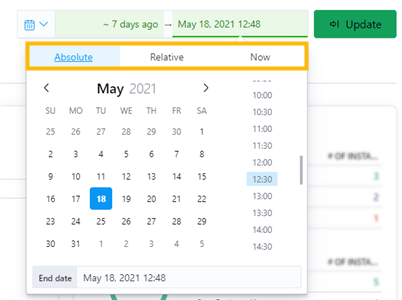
3. A dropdown box appears with dates as well as times. Select "Absolute", "Relative", or "Now", then select the dates and times desired.
Tip:
Use "Absolute" when sure of exact dates and time frames.
Use "Relative" when unsure of .......
Use "Now" when looking to review..........
Note: The following example shows use of "Absolute" selection.
4. Click "Update" when selections are complete.
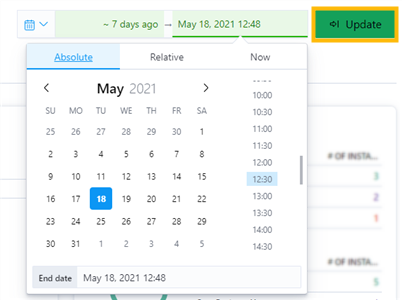
5. The date range field now shows the exact date range that was selected, when absolute is selected.

6. To change the date range from Absolute, Relative, or Now, click on the calendar icon in the date picker and select new date parameters and apply, or enter a new Absolute, Relative, or Now date parameter by clicking on "Show dates" and repeating the above process.
The "Refresh" button refreshes the page to display the most up-to-the-second Portal data. It does not reset the user selected date range to the default date range.