
- Fortified Data
- Environment
- Instances
How are the Batches Running on the Environment?
Locating the instances page will give you the information on Batches
- In the left-hand Navigation menu, locate the Environment section
- Select Instances
- Page will default onto Overview page
Under Instances - Overview, locate the Resource Statistics section. The Top Instances by Performance card displays the Batch Request per second for each filtered instance.

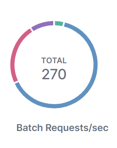
Additionally, users can view Batches, CPU time requests and time total, and the percent CPU Used for a specific instance by navigating to the Batch Response Stats card on the Instance - Details page.