
Users can sort data on cards, flyouts, and in a grid view.
The goal of sorting data is to refine results displayed.
Cards
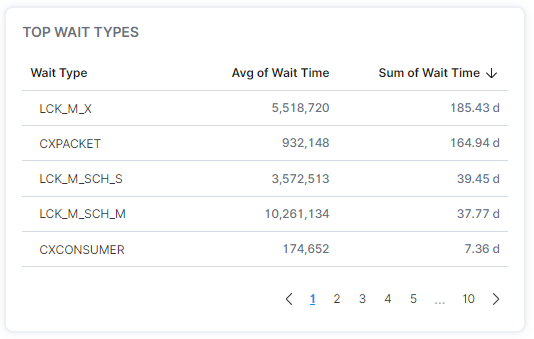
On cards, data can be sorted by clicking on the column name.
Grids
In the grid view, users can define the sort values by selecting the Fields Sorted grid option.

In the dropdown box of the Fields Sorted grid option, users can remove fields from being sorted on and as well as add fields to sort by. Additionally, the sort order can be adjusted.
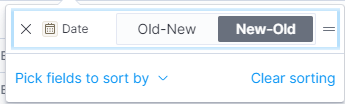
On the grid view, selecting a column name will add it to the sort order.
Most sorting issues can be resolved by selecting Clear Sorting before applying a new field to sort by.