
- Fortified Data
- Profile
- My Profile
How do I Update my Profile?
Update/Edit your Portal profile using the My Profile selection in the top right hand corner of the Portal page
Edit your profile from any page in the Portal user interface. Keep your team up to date on your contact information.
1. Select "My Profile"

2. Complete the required fields, which are indicated with a red *.
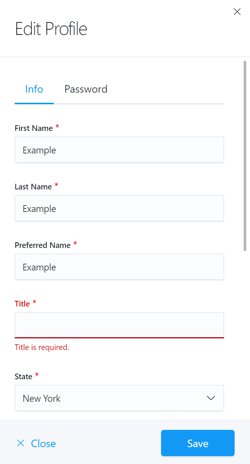
Note: Users are unable to save the updated information unless all required fields are complete.
3. Select the "Save" button.