
Users can use the search bar to search most items being displayed on the page.
The goal of the search bar is to refine results displayed on the page.
1. Select the search field and enter the name of an item.
2. Select from the Contains dropdown menu to further refine search criteria.
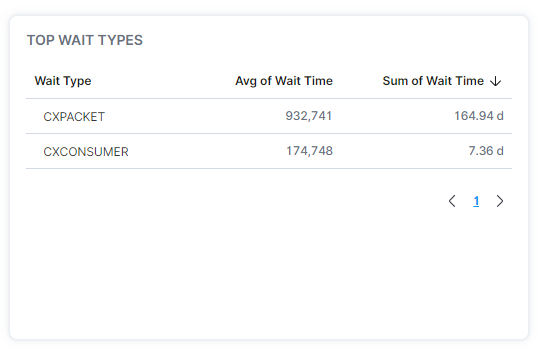
Examples of searchable items are server names, wait types, instance names, etc. In the example below, 'cx' was entered in the search field and Contains selected from the dropdown menu.

Users can also drop down the "Contains" selection to search on items by using "Starts With" or "Missing". Missing will exclude all of the desired items.
The search results displayed include wait types containing the letters 'cx'.
Some items, such as SQL commands, may not be searchable on some pages.
The Total number next to the search bar defines how many points of data are being represented in the graphs.