
Users can determine how many high priority alerts have been opened/closed in the Alerts - Overview page. P0 alerts indicate the system is offline. P1 alerts indicate that a system is in a business-impacting state.
1. Locate Monitoring in the left-hand Navigation menu
2. Select Alerts
3. Page will default onto Overview
4. Use the date picker to select the desired date range
The Alert Status card on the Alerts - Overview page displays the number of open and closed P0/P1 alerts and the number of open and closed P2 alerts.
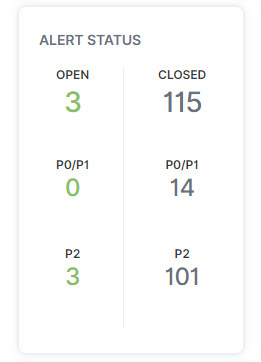
Alert totals and statuses can also be seen on the Alert Status card on the Hosts - Overview page for host alerts and the Instances - Overview page for instance alerts.