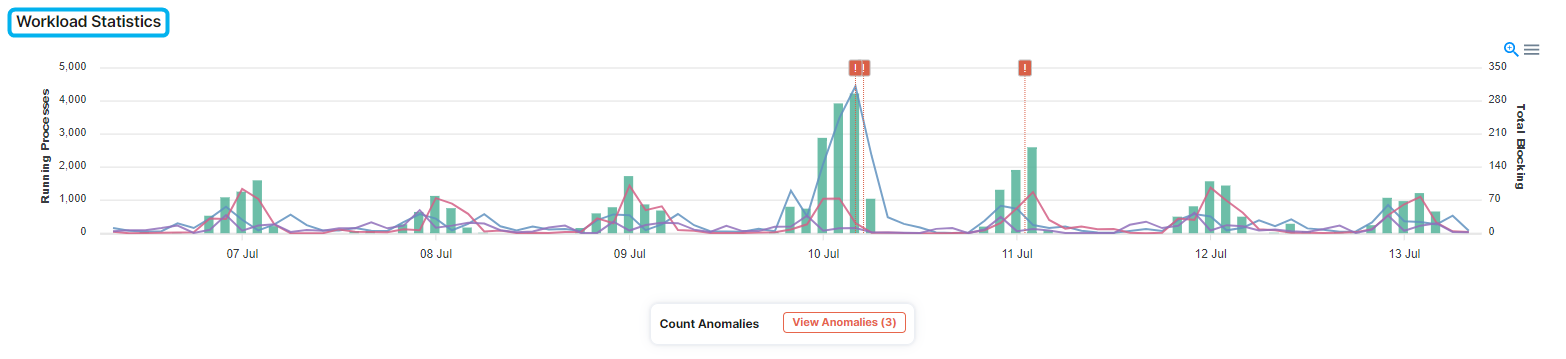
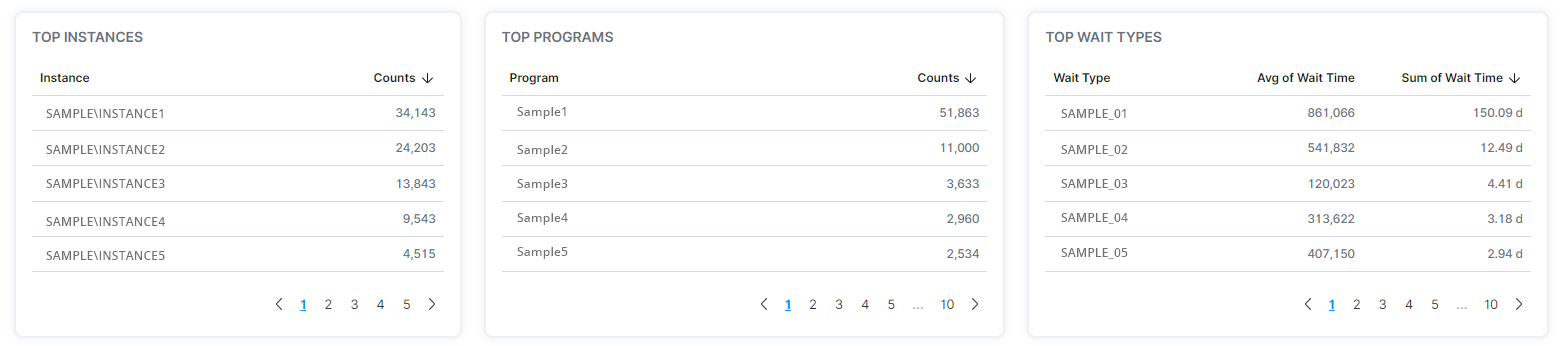
Users can determine workload statistics that include processing and blocking amounts, anomalies, top performing instances and programs, wait types, and wait times across multiple instances and databases.
- In the left-hand Navigation menu, locate the Database section
- Select Activity
- Page will default onto Overview
The goal of the Overview page for activity is to provide insight into the performance of your instances and programs based on workload from a high-level view
Workload Statistics
In the Workload Statistics section, users can determine totals of running processes, blocking totals, when anomalies occurred, top performing instances and programs, wait types, and wait times.