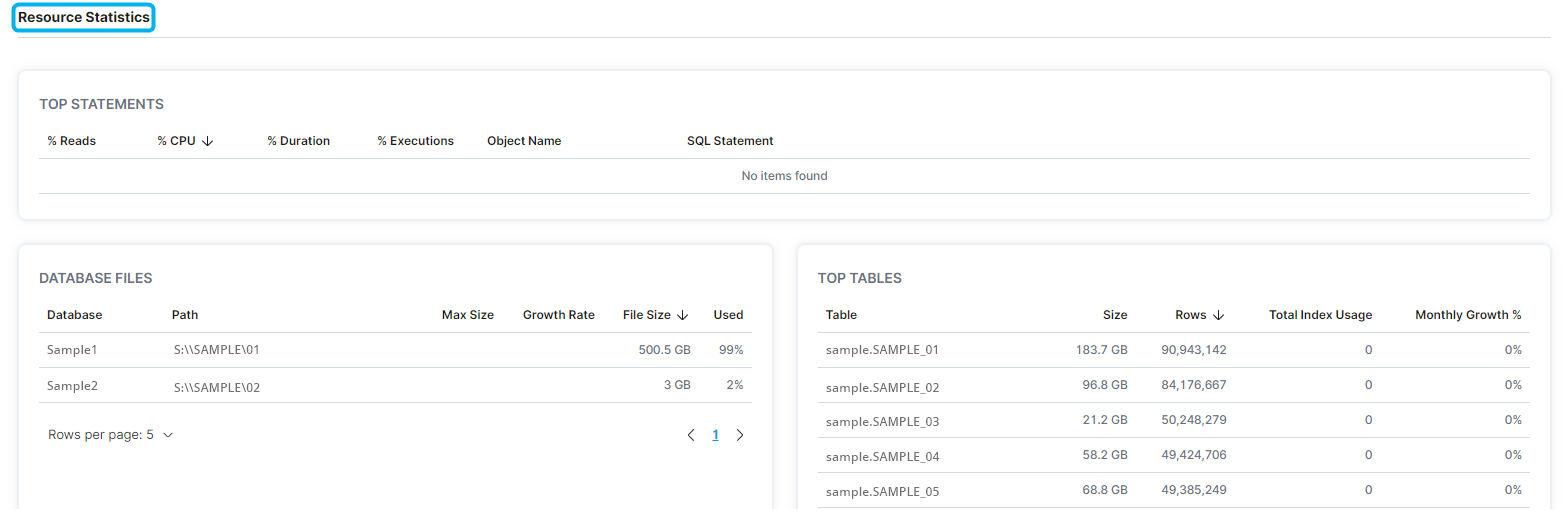
The Databases - Details page displays database properties, performance by instance, space utilization, annual data and transactions/sec growth, tables by record count, top statements, database files, and the top tables of a specific database
- In the left-hand Navigation menu, locate the Environment section
- Select Databases
- On the navigation bar at the top of the page, select Details
- Select an instance and database from the filter dropdown menus
The goal of the Databases - Details page is to provide insight into details of a specific database
Database
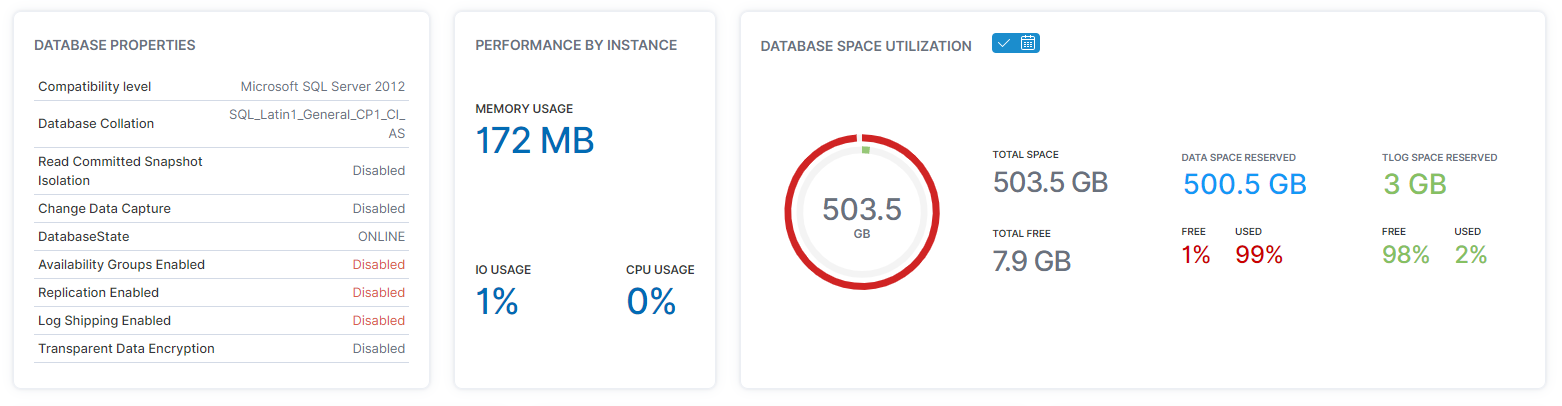
At the top of the Databases - Details page, users can determine properties, performance by instance, and space utilization of a database.
The middle of the Databases - Details page displays the annual data growth, the annual transactions/sec growth, and tables by record count for a database. 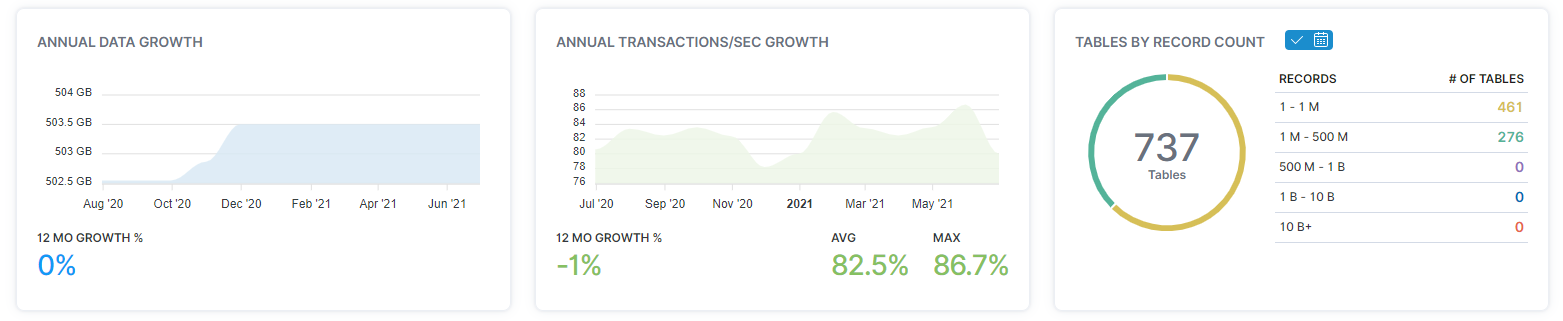
Resource Statistics
In the Resource Statistics section, users can determine the top statements, database files, and top tables of a database.