Users can determine database memory, space allocation, annual growth, features enabled, compatibility, collation, size, and performance of their databases on the Databases - Overview page.
1. In the left-hand Navigation menu, locate the Environment section
2. Select Databases
3. Page should default onto Overview
The goal of the Overview page for databases is to provide insight into how your databases look from a high-level
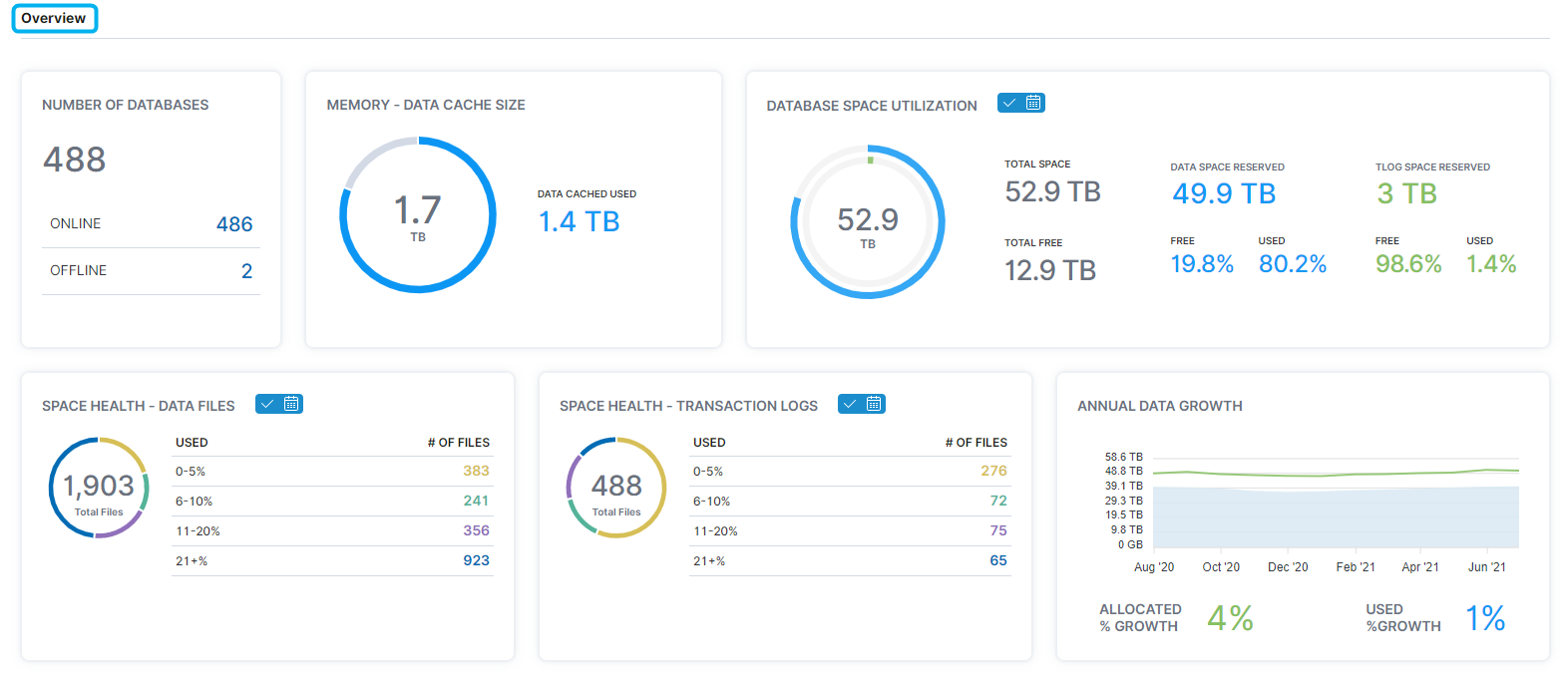
Overview Section
In the Overview section, users can view information on the amount of memory in databases, what is using the allocated space of databases, and annual growth of databases by space allocated and space used.
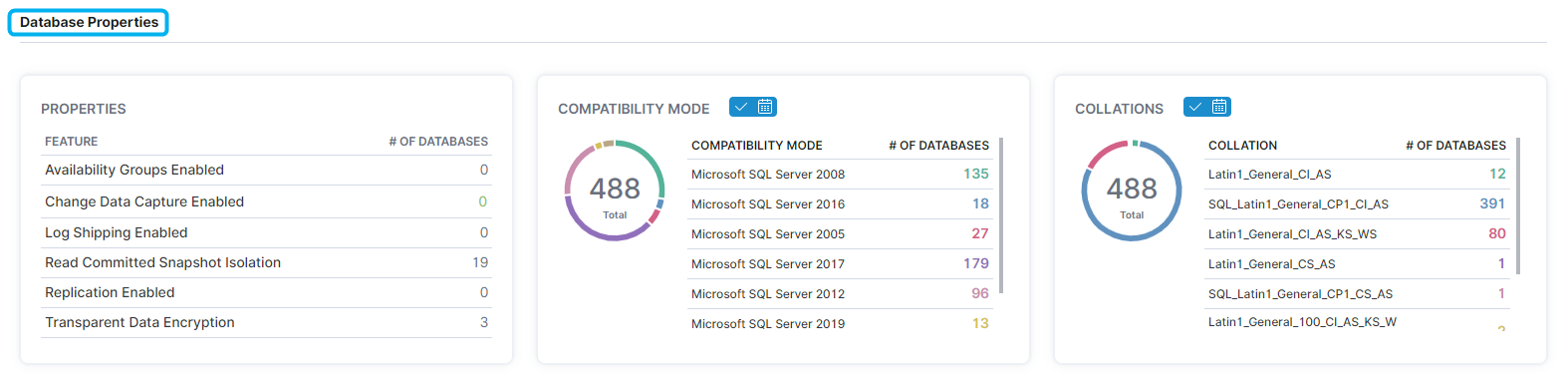
Database Properties
The Database Properties section displays what features are enabled on the databases, how many databases use specific compatibility modes, and the number of databases using specific collations.
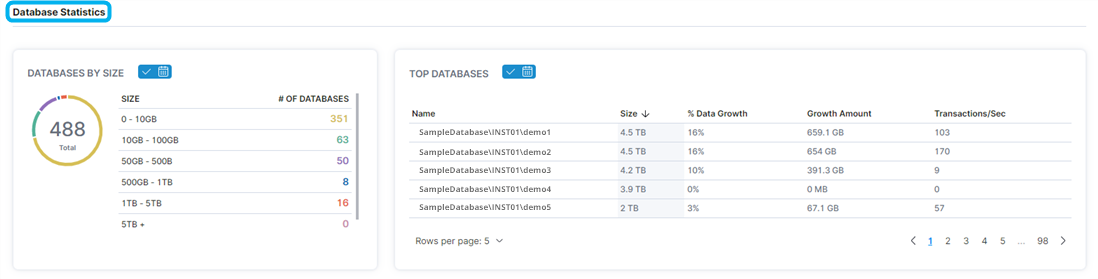
Database Statistics
The Database Statistics section displays the sizes of the databases and the databases with the highest performance in size, growth, and transactions per second.