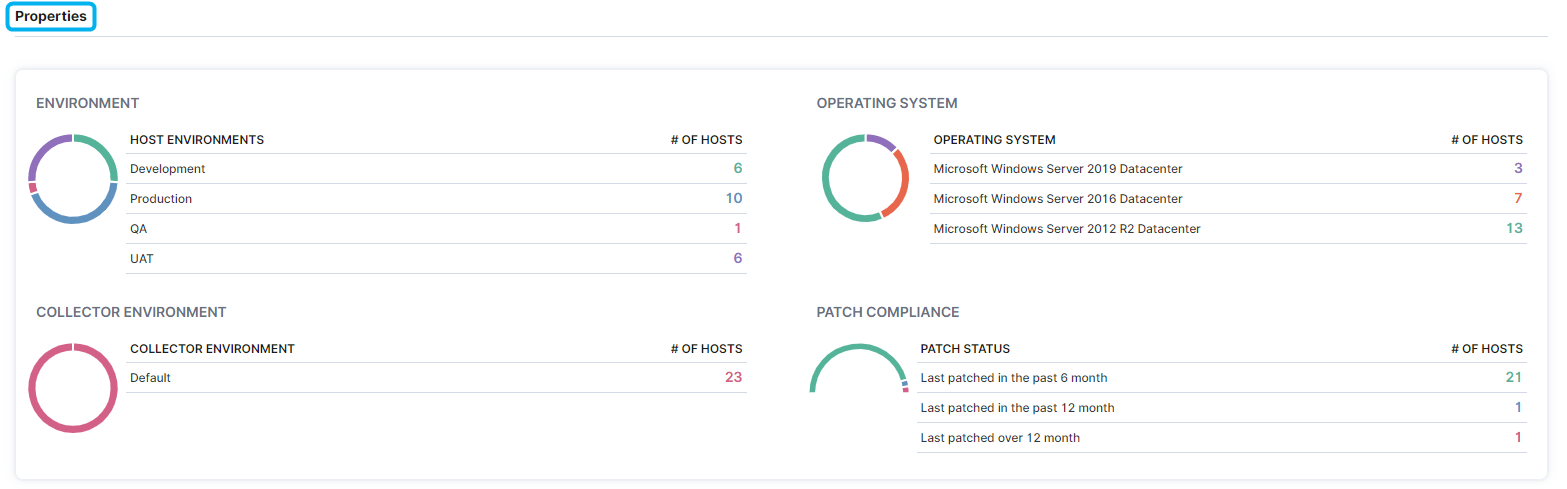
Users can determine host availability, alert statuses, silencing windows, tiers of service and monitoring, sizing recommendations, capacity and storage performance, logical CPUs, environment, OS, and patch compliance on the Hosts - Overview page.
- In the left-hand Navigation menu, locate the Environment section
- Select Hosts
- Page will default onto Overview
The goal of the Overview page for hosts is to provide insight into how your hosts look from a high-level
Overview Section
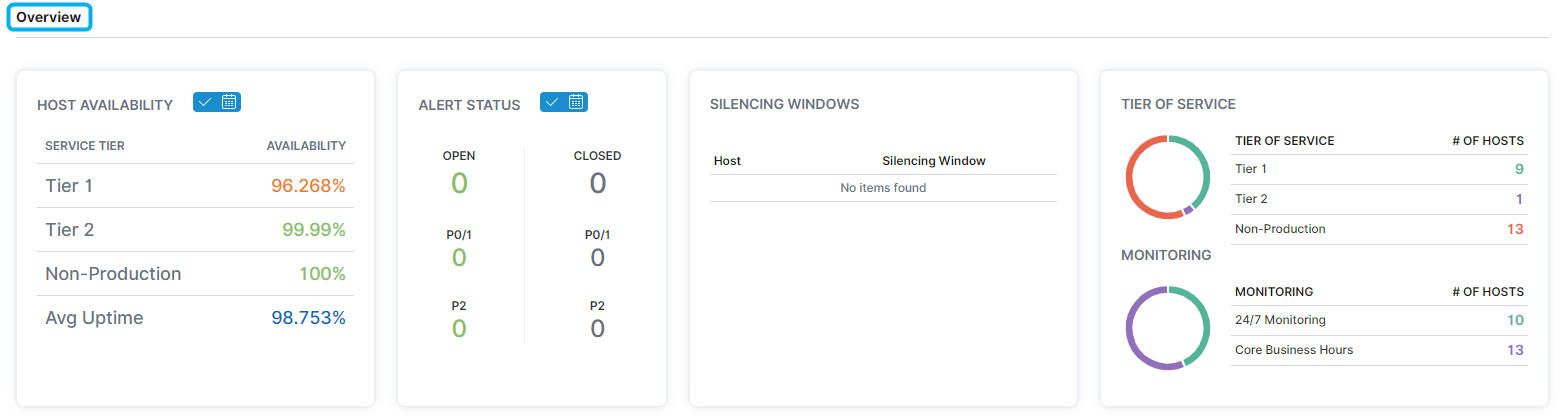
In the Overview section, users can view information on host availability, alerts, scheduled silencing windows, monitoring and tiers of service.
Capacity Planning
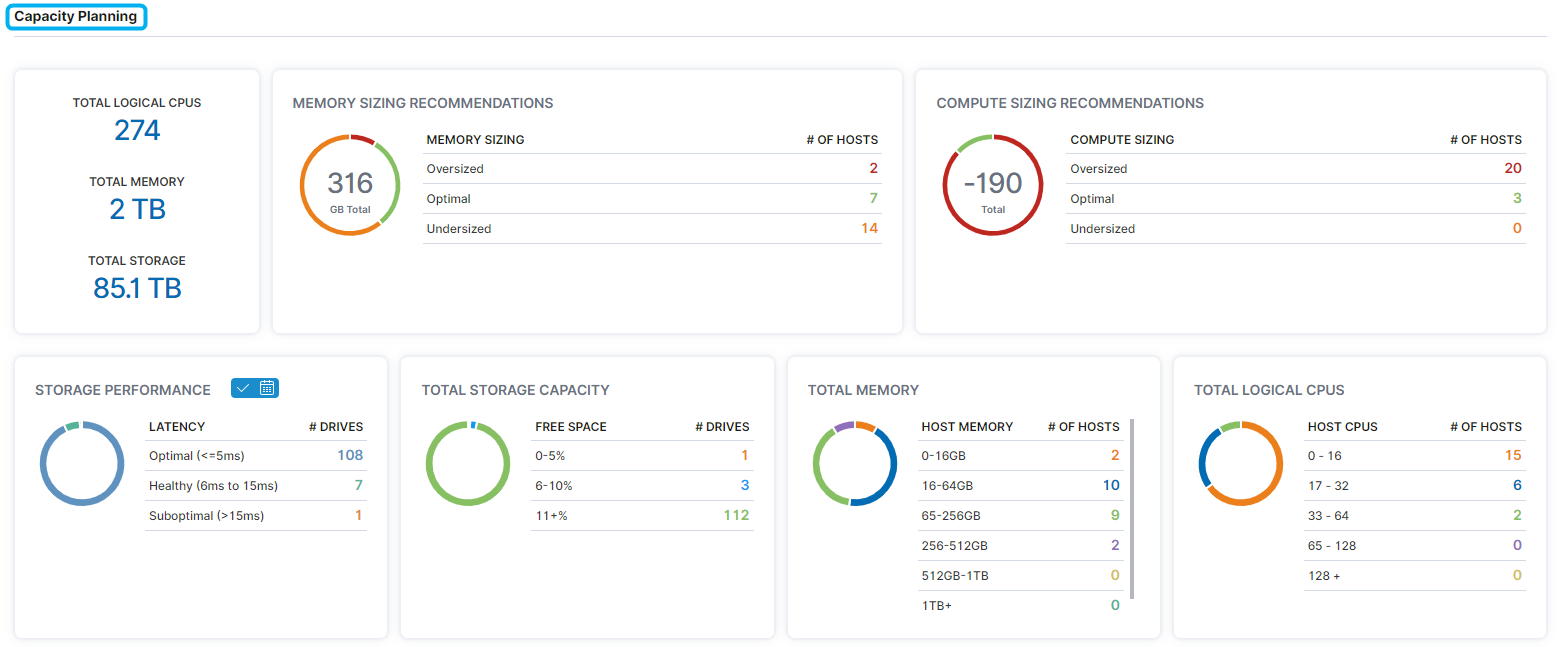
The Capacity Planning section displays amounts of total host CPUs, memory and storage sizes, sizing recommendations, as well as storage and performance information.
Properties
The Properties section displays host environment, OS, and patch compliance information.