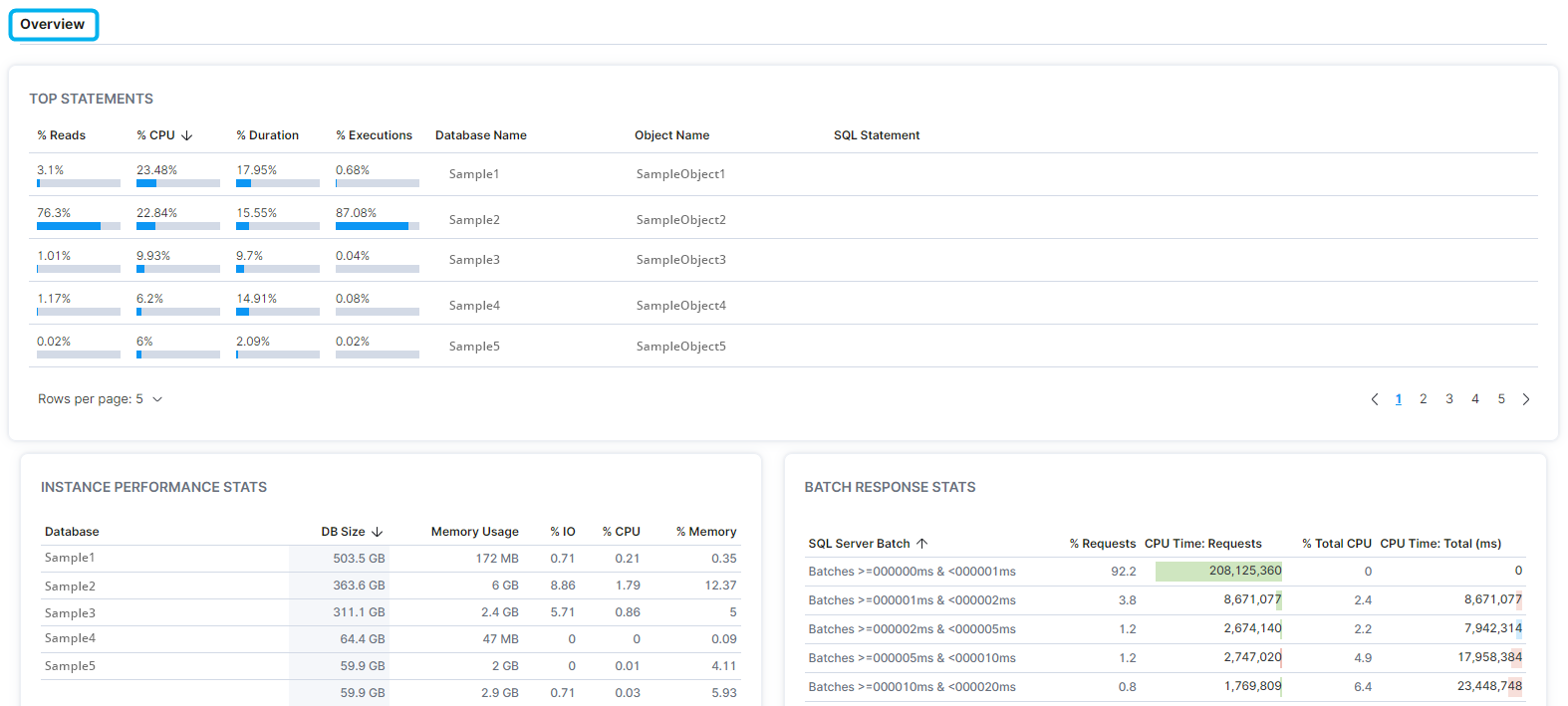
Users can determine the availability, alert status, silencing windows, database size, properties, database platform, installed components, instance configurations, statement information, performance stats, and batch response stats of an instance.
- In the left-hand Navigation menu, locate the Environment section
- Select Instances
- On the navigation bar at the top of the page, select Details
- Select the desired instance from the filter dropdown menu
The goal of the Instances - Details page is to provide insight into the details of a specific instance
Instance
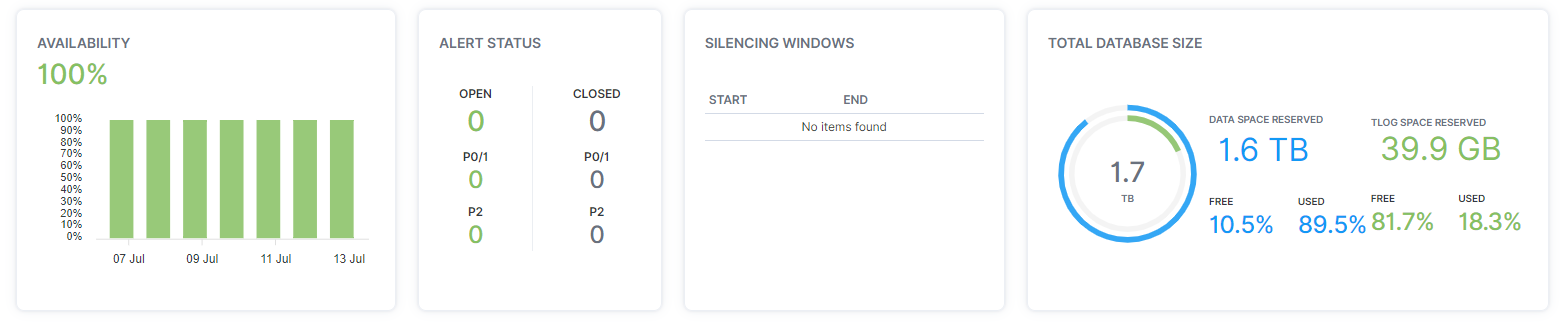
At the top of the Instances - Details page, users can determine the availability, alert status, silencing windows and total database size of an instance.
Properties
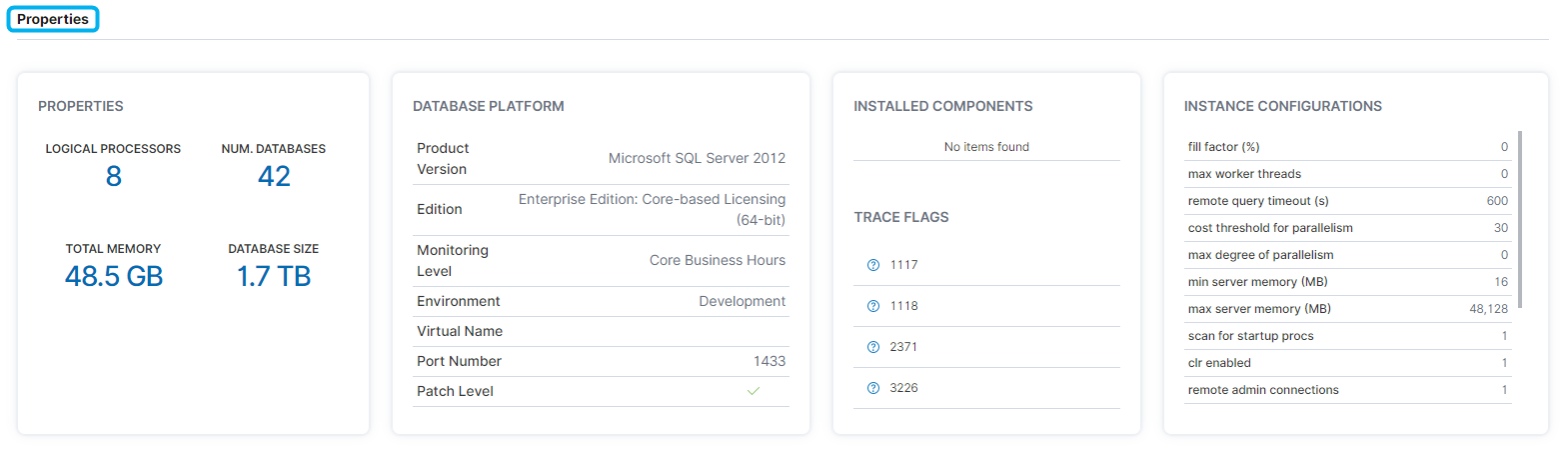
In the Properties section, users can determine the properties, database platform, installed components and configurations of an instance.
Overview
In the Overview section, users can determine the top statements, performance stats, and batch response stats for an instance.