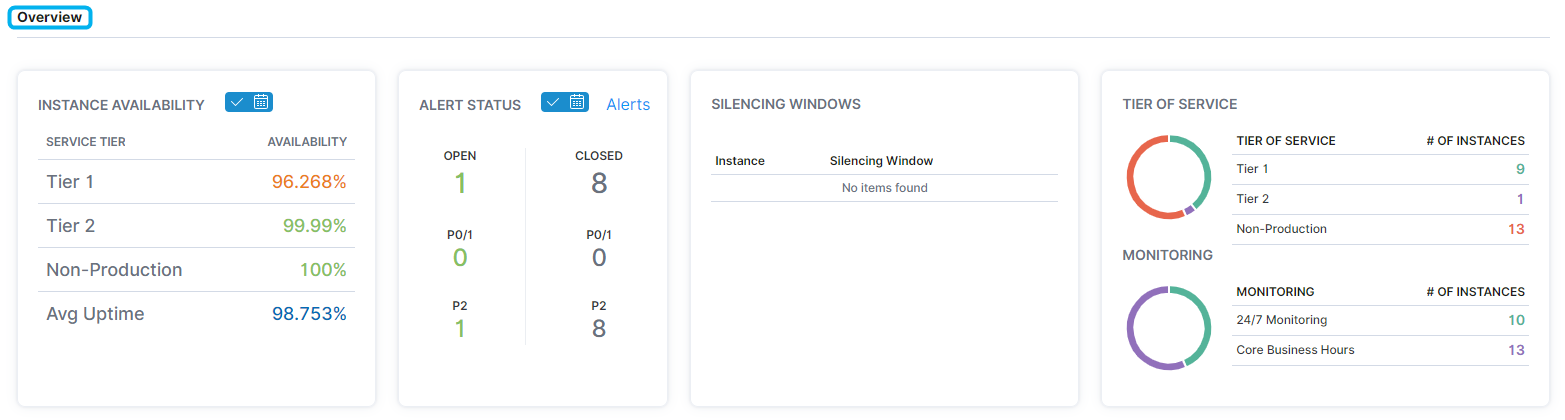
On the Instances - Overview page, users can determine availability, alert status, silencing windows, tiers of service and monitoring, size and growth, platforms and editions, environments, and performance information across instances.
- In the left-hand Navigation menu, locate the Environment section
- Select Instances
- Page will default onto Overview
The goal of the Overview page for instances is to provide insight into how your instances look from a high-level.
Overview
In the Overview section, users can view availability, alerts, silencing windows, tiers of service, and monitoring information across instances.
Properties
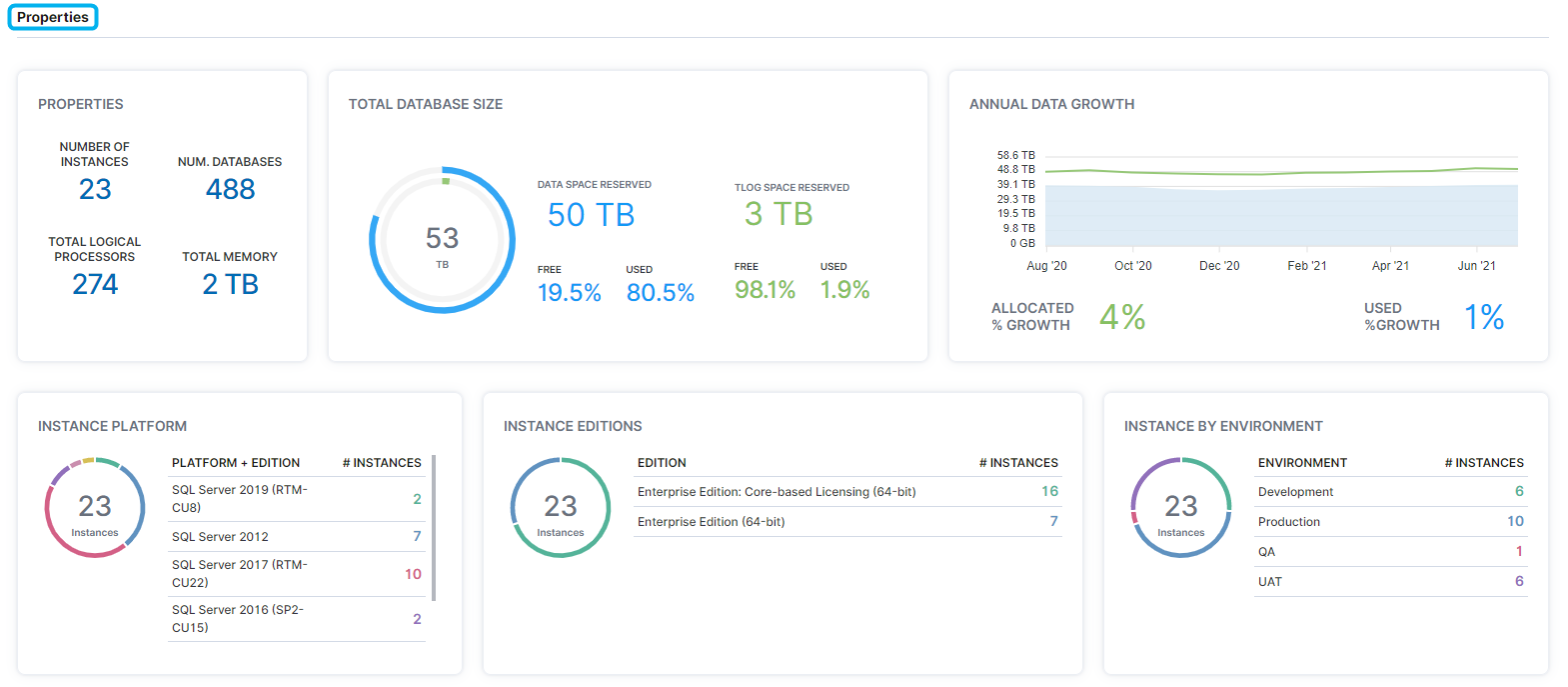
The Properties section displays instance, database, processor, and memory amounts, data space and TLOG space reserved, annual data growth, as well as instance platform, edition, and environment.
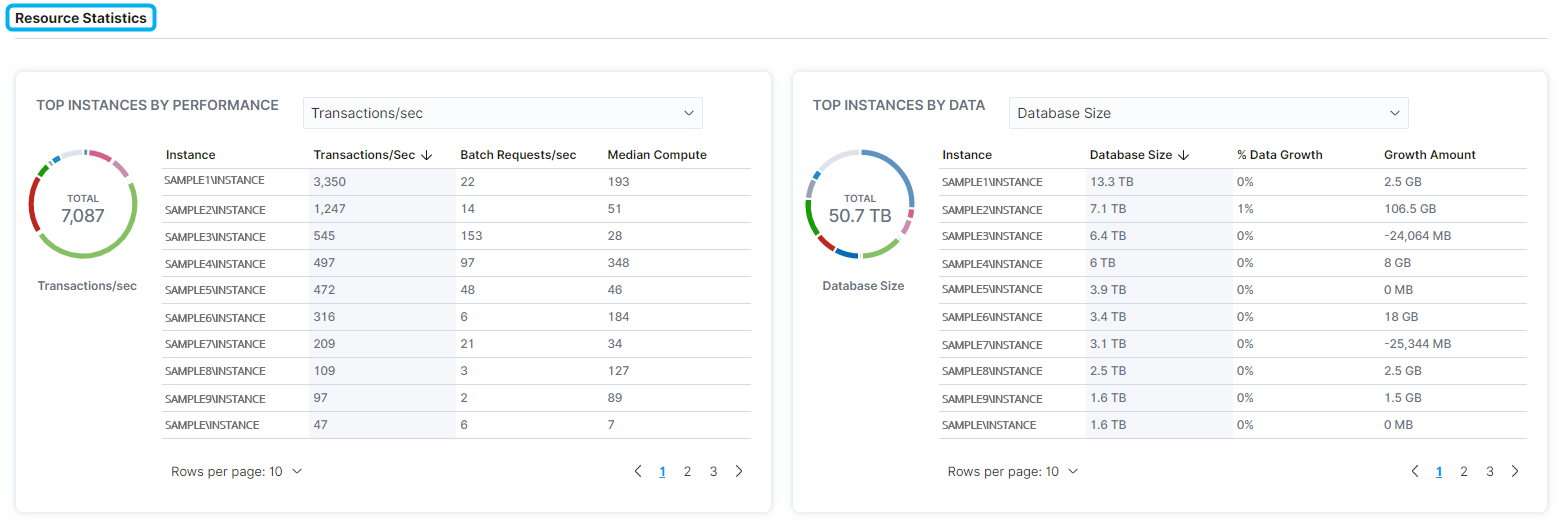
Resource Statistics
The Resource Statistics section displays top instances by performance and by data.