
The Performance - Overview page presents Performance Monitor data collections categorized like standard Microsoft Performance Monitor counters.
- In the left-hand Navigation menu, locate the Monitoring section
- Select Performance
- Select a Category
- Select a Metric
- Select an Aggregation
- Select +Metric
The goal of the Performance - Overview page is to present specific performance counter metrics in a graph view
The Performance - Overview page displays performance counters over a period of time.
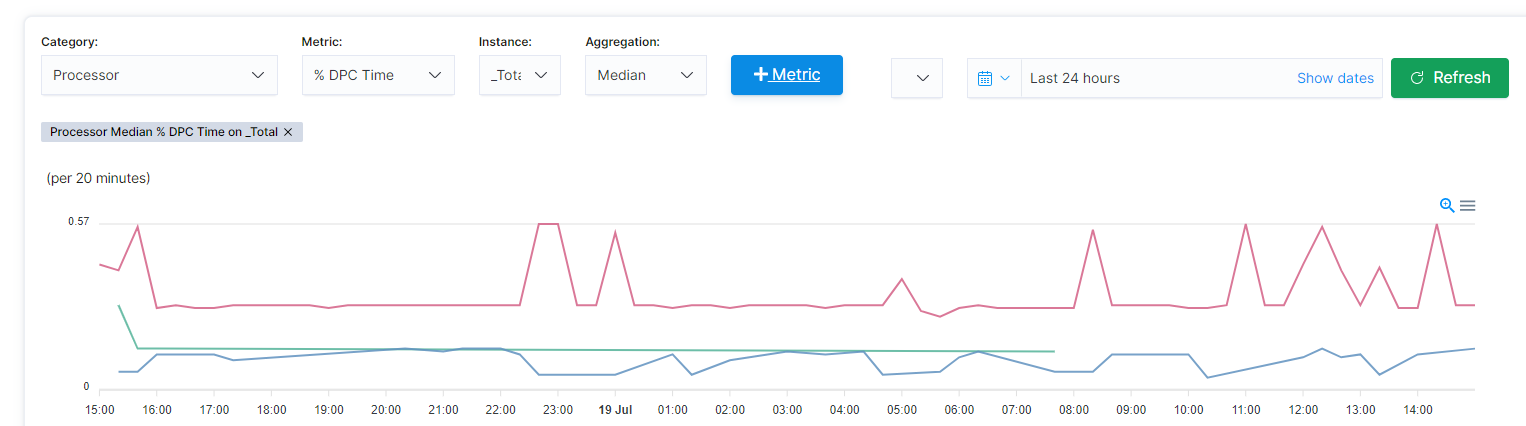
Use the filters such as instance and date filters to refine the data being returned.