
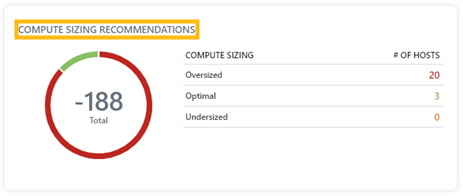
"Compute Sizing Recommendations" are located under Capacity Planning in the middle of the "Hosts" page on the right-hand side and displays the amount of host compute sizing allocated as oversized, optimal, or undersized.
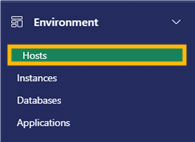
1. In the Environment section of the Navigation menu, select "Hosts".
2. "Compute Sizing Recommendations" are displayed in the middle of the page on the left-hand side
Notes:
- "Oversized" means compute capabilities are overallocated on a host.
- "Optimal" means the right amount of compute capabilities are allocated to a host.
- "Undersized" means that compute capabilities of a host are not being fully utilized.
3. Click on a number to display the list of hosts included in that number, and the compute sizing recommendation for each. Click on the number again to collapse the list.
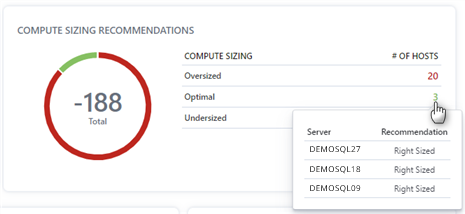
Note: Number colors correspond to the colors of the circle icon on the left. Hover over the circle icon to see the corresponding information listed on the right side of the card.