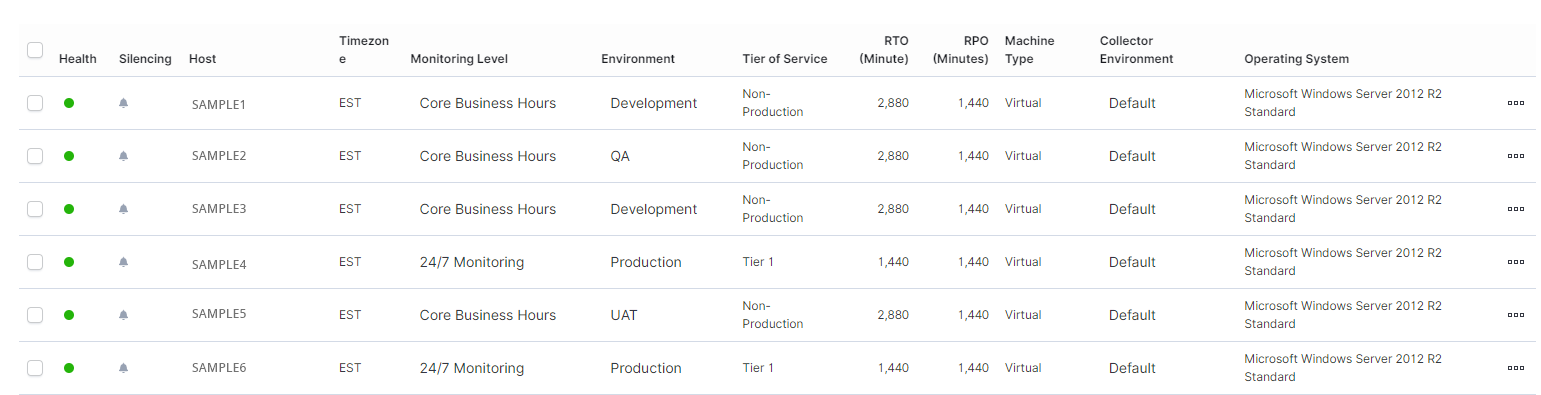
The Lists pages lists all hosts/instances/databases/applications as well as information relevant to each host/instance/database/application listed.
- In the left-hand Navigation menu, locate the Environment section
- Select Hosts, Instances, Databases, or Applications
- In the top tabs on the page, select Lists
The goal of the Lists page for hosts/instances/databases/applications is to provide a list of all hosts/instances/databases/applications and information relevant to the host/instance/database/application listed.
In the Lists page, users can view a list of all hosts/instances/databases/applications as well information relevant to each host/instance/database/application listed.